Posts Tagged ‘SCORM’

GSOC 2013 Projects

Tuesday, May 28th, 2013

We had some great applications for GSOC this year and there are 7 students who have been accepted. I’m excited to be working with 2 students this year – Mayank Gupta who will be working on improving the SCORM player in Moodle to work better on mobile devices – Mayank has been part of GSOC with Moodle in previous years so his continued contribution to SCORM is appreciated!

Vinnie Monaco submitted a proposal to develop a plugin that uses keystroke dynamics to verify the identity of a user before allowing them to enter a Moodle quiz – this will involve a practical application of his research and looks to be a very interesting way to verify the logged in user.

The biggest mistake applicants made this year was not attempting to fix a Moodle bug – one of the requirements of the Moodle GSOC application process is that students must try to fix a Moodle bug – many didn’t try and some just rewrote a patch that was already available on the tracker.

Thanks to all the students who put effort into their applications – hopefully some of you will continue to engage in the Moodle community even if your applications weren’t successful.

Stopping work on SCORM 2004

Monday, May 6th, 2013

I’ve been the official maintainer of SCORM in Moodle since 2008 when we implemented full SCORM 1.2 support thanks to funding from Moodle HQ. Since then with the help of a handful of other developers in the community I have spent over one thousand volunteer hours supporting and improving the SCORM module and occasionally funds have been provided for my time by organisations to fix a particular issue.

SCORM 2004 is now over 8yrs old and despite many efforts no-one has been interested in funding the time required to complete native support for SCORM 2004 in Moodle – I’ve run some successful GSOC projects which which have been a great learning experience for the students involved but have not made a significant dent in the work required to complete SCORM 2004 support. This year we received no valid GSOC applications for improving SCORM 2004 support in Moodle.

I spent a lot of time discussing the opportunity to run a crowd-funded project to complete SCORM 2004 in Moodle but it’s hard to define a fixed figure that would allow us to complete the project and I wonder if such a large amount of my time could be spent on projects that are more current.

Full support for SCORM 2004 is already available in Moodle by using the Rustici SCORM cloud plugin for Moodle and I think it is more cost-effective to purchase a subscription to their hosted solution which is much more stable/reliable and feature rich than what we could provide directly in Moodle anyway.

There is also a new version of SCORM (Tin Can) and I think it makes more sense to focus development effort on that rather than continuing effort to get an old standard working within Moodle that so far no-one has cared enough about to fund.

I will continue as a volunteer to maintain support for SCORM 1.2 and AICC packages in Moodle and the new Tin Can work that is currently underway. I will also make best efforts to avoid regressions in the existing SCORM 2004 code.

I will no longer be spending any time as a volunteer to support or improve SCORM 2004 in Moodle, I will accept patches from community contributors to improve SCORM 2004 support as long as they meet coding guidelines and are easy to test. All existing SCORM 2004 bugs will be closed as “won’t fix” – these will only be re-opened if a community member provides a good patch with full testing instructions or if someone funds my time to continue the work.

Thanks to everyone who has spent time working on SCORM over the years – hopefully drawing a line in the sand over SCORM 2004 support will allow us to focus on more current developments like Tin Can.

Managing SCORM content in Moodle 2

Thursday, November 1st, 2012

There are a range of ways to manage SCORM package files in Moodle

Uploaded package.
This method is the only option shown by default in a new Moodle installation. The teacher uses the Moodle file picker to select or upload a new SCORM package.

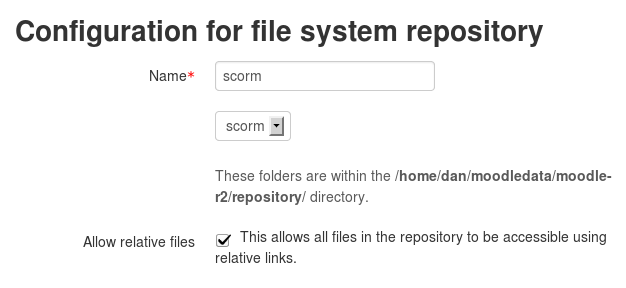
The site administrator is able to set up a range of different repository types that could contain SCORM zip packages.

External Package type
External package type is disabled by default on new installations – it is not a great method of linking to packages as under certain circumstances your packages will not pass back any grade or tracking information to Moodle.

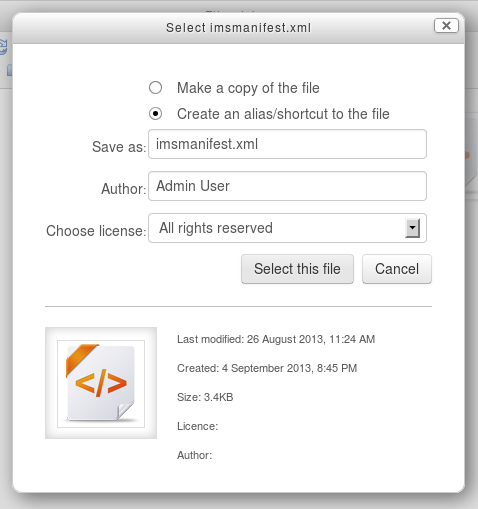
If enabled and selected it provides a text field to paste a URL to a remote imsmanifest.xml (in an unzipped remote SCORM package) – this allows SCORM content to be hosted outside your Moodle site and the content is played from the external location and is not unpacked/copied into Moodle storage. This also means that if you update the SCORM package then the latest content will always be loaded (unless you update your core imsmanifest.xml file as this file is copied into Moodle) – be very careful updating your imsmanifest.xml file; if your SCO identifiers change then tracking information for any removed SCO identifiers for any previous user attempts will be cleared from the Moodle database.

For the external package type to work – your SCORM content MUST be located under the same url as your Moodle site – If the base url is different from your Moodle url then built in web browser security will block cross-domain communication and no grades/tracking information will be passed back to Moodle. Adobe Flash and modern browsers (ever since IE 6) prevent cross-domain communication. If you really need your packages to sit outside Moodle on a different URL you should look at other options for hosting your content.

To enable the External package type go to:
Admin > Plugins > Activity modules > SCORM package
tick the box for “Enable external package type”

Downloaded package type
Downloaded package type is disabled by default on new installations. It allows your SCORM zip package to be hosted on an external location.

If enabled and selected it provides a text field to paste a URL to a remotely hosted SCORM zip package. Moodle will download the package and unzip into the Moodle file system. Moodle will only check for a new SCORM package each time the settings page is opened and re-saved unless you configure the option “Auto-update frequency” – this is an advanced setting by default so make sure you hit the “show advanced options” button on the SCORM settings page – this option will also only appear if you have either the downloaded/external package types enabled and selected.

The Downloaded package type doesn’t have the same issues around cross-domain communication as the external package type as the SCORM package is downloaded and stored inside the Moodle file system. The main disadvantage of this type is that your SCORM package must be on a url accessible by your Moodle server which usually means that it will be available publicly for anyone to download (unless you configure some form of firewall on your external SCORM content server to prevent this sort of access and only allow the Moodle server to download the file over http/https)

To enable the downloaded package type go to:
Admin > Plugins > Activity modules > SCORM package
tick the box for “Enable downloaded package type”

IMS package type
IMS package type is disabled by default on new installations. The IMS package type is only included for backwards compatibility with old content still in your site – Moodle 1.6 -1.9 had a badly implemented/not well supported/undocumented/buggy feature called the “imsrepository” – this allowed you to store your SCORM packages in unzipped form in a folder within your moodledata and select/link to these packages. This feature is not supported in Moodle 2 but if you have legacy data in your installation that has not been moved, enabling the IMS package type will allow this old content to play/function correctly until you migrate to one of the other package types. I’m not aware if this actually works – I’d be keen to hear from anyone still using imsrepository content to know if it works or not. At some point this option will be removed from Moodle core – maybe 2.5?

Direct AICC url
Direct AICC url type is disabled by default on new installations.

The Moodle SCORM module also supports AICC content – AICC can use a different way to communicate with an LMS without using JavaScript which allows the content to be stored externally without running into cross-domain communication issues. We call this method “external AICC HACP” – this content communicates directly with your Moodle server rather than via the learners browser session. To use this form of communication, you must enable the setting “Enable external AICC HACP” in admin > plugins > activity modules > SCORM

Usually when connecting to an external AICC HACP package you are provided with a small AICC zip package which contains a file with a link to the external AICC content – to make it easier for AICC authors we have included an option that allows you to paste a url to the external AICC content instead of having to create a zip package with the file to link to the content.

It’s best to leave the Direct Aicc url type disabled unless you have an AICC content provider that provides urls to their external AICC content instead of AICC package files. It is a good idea to enable external AICC HACP

Future Improvements.
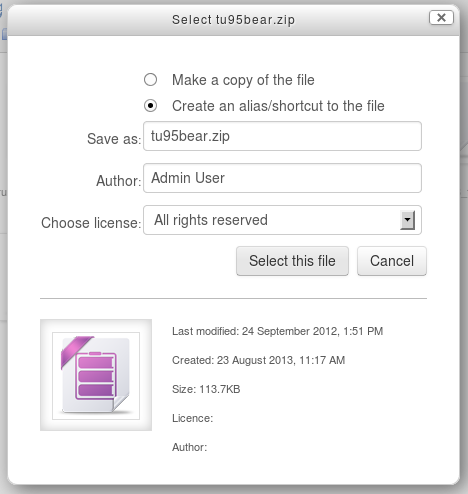
Moodle 2.3 has an “alias” feature that means when an uploaded file is re-used elsewhere on Moodle, the teacher has the option to create a shortcut or alias.

If an alias is created, then when the original file is updated, it will change in all instances of the alias. More info: http://docs.moodle.org/23/en/Working_with_files#Creating_an_alias.2Fshortcut

Implementing this for SCORM is possible but will need to be managed carefully – more information on this is available in MDL-28579

SCORM doesn’t work in Moodle?

Wednesday, August 8th, 2012

I see a lot of posts with very limited information about issues with SCORM in Moodle – Here is a common question:

My SCORM package works fine 90% of the time but 10% of my users report that it doesn’t save their score or flag as complete – help?

This question is not very specific so it’s hard to give advice but here is a list of things to check.

  1. What version of SCORM are your packages authored in?
    SCORM 2004 support is not complete in any version of Moodle, we are slowly improving it with the help of some GSOC projects so later versions of Moodle provide more support than others, but as support isn’t complete your packages may not operate as expected and may be quite different across different Moodle versions, more information here.
  2. What Moodle version are you running?
    SCORM in Moodle didn’t work very well until Moodle 1.9.12, If you’re using an earlier version of Moodle – don’t bother asking questions about why it doesn’t work – UPGRADE!
    SCORM in Moodle 2.0 is more stable/reliable than Moodle 1.9, and Moodle 2.3 is even better than 2.0 – if you are able to upgrade to the latest Moodle version it may help a lot.
  3. SCORM requires JavaScript
    Are your users trying to access with a browser that doesn’t support JavaScript? Moodle 2.0 has a setting called “Force users to enable JavaScript” – go to Admin > Plugins > Activities > SCORM and make sure this is set.
    Moodle policy states that everything must function with JavaScript disabled however I have been tempted to remove this setting and force SCORM to always require JS – drop me an e-mail if you disagree with this and give me reasons why you think it wouldn’t be a good idea.
  4. Browser specific bugs
    1. Internet Explorer 9
      There is a bug with Adobe Flash that prevents communication from occurring correctly. The fix is to run IE 9 in compatibility mode but you can fix this in Moodle by adding this line to your Moodle theme directly after the <head> tag in your theme (it must be the first item after the <head> tag or it will not work.
      <meta http-equiv=”X-UA-Compatible” content=”IE=8″ />
      More info here (although it states that bug as fixed the fix does not work as it doesn’t add it directly after the <head> tag)
    2. Internet Explorer and Moodle 1.9
      When using the “new window” option in Moodle 1.9 IE  may freeze during the load of the SCORM – the fix is to either use the “current window” option instead or upgrade to Moodle 2 (this fix requires a significant rewrite of the Moodle player so an easy to apply patch to fix this in 1.9 is not available) More info here.
    3. Chrome
      When using the pop-up window option, chrome may open a window with a size of 0×0 so the content is not displayed – the fix is to upgrade to the latest stable release as this is fixed in most stable branches. More info here.
    4. Moodle 1.9 has a range of other browser specific issues – especially when using the “new window” option – Moodle 1.9 is no longer supported for bug fixes so you should really upgrade asap.
  5. Debugging
    Moodle has a nice debugging tool that logs each call from your SCORM package to Moodle – this can be configured to be enabled for all users or for a specific user – If you are unable to reproduce the issue yourself, you can enable the debugger for the specific user and ask them to email you the results.
    To enable debugging see here: Moodle 1.9 Moodle 2
  6. Multiple Attempts
    The way attempts in SCORM works can be confusing – when a learner enters a SCORM package and gets a score, then re-enters the package their score can be changed or updated, losing their previous score. I’ve recently written an FAQ item on this in the Moodle docs site here.
  7. Grading
    SCORM packages can be graded in multiple ways – some SCORM packages return a raw_score, others only return a lesson_status. Moodle has a range of grading methods to suit these different packages – for help on this see here

If none of that helps with your issue, make sure you read the FAQ on asking for help in the Moodle SCORM forums – this explains a list of the things we need you to include in your post to allow us to help. Usually our biggest difficulty is trying to reproduce the issue you are having.

The majority of the time I spend on SCORM in Moodle is as a volunteer – so please be kind!

I’m thankful to all those who have helped with SCORM from the  original developer of SCORM in Moodle – Roberto Pinna and the GSOC program which has allowed us to progress on SCORM 2004 compliance, I’m especially thankful to those people who have provided funding for my time to work on specific bugs in SCORM that have been causing them grief.

There are still many other issues with SCORM in Moodle (let alone the work on SCORM 2004) but my volunteer time is limited so if there’s something in Moodle that doesn’t work the way you’d like, any funding you have available for my time to fix the issues would be really appreciated. I work for the certified Moodle Partner Catalyst IT, we have offices in the UK/AU/NZ and provide a range of services around free and open source software.

GSOC update

Thursday, July 26th, 2012

We’re just past the half way mark of GSOC and Kanika and Mayank have been hard at work!

Kanika has pushed a range of improvements for the plagiarism API into Moodle 2.4 including support for Online text in assignments, Forum posts and the Workshop module. She has been working on adding support for these new api hooks into the Urkund plagiarism plugin and may have time to add support to the other plugins in future.

Mayank has been rewriting the way navigation works in SCORM – he has a pretty big patch incoming for SCORM which will hopefully enable us to pass a few more SCORM 2004 ADL Tests – we also have some special courses loaded on qa.moodle.net that contain all the ADL test package for both SCORM 1.2 and 2004 so we hope to run the test harness a lot more frequently when making changes to SCORM code.

Thanks to Kanika and Mayank for their valuable contribution!

GSOC 2012 Projects

Monday, April 23rd, 2012

Moodle is lucky to have 4 successful GSOC projects this year – hopefully this will be a rewarding experience for the successful students and will produce some useful code for Moodle! – Thanks to Google for providing the funding to allow this to happen!

The quality of applicants varied a lot this year – we had one applicant who copied the full Wikipedia Moodle page and submitted that as their proposal. There were several students who put a great effort into their applications and missed out this year – hopefully some of these may still engage further in the community – we appreciate the effort you put into your applications and the patches you provided as part of your application process!

GSOC 2012

Sunday, March 18th, 2012

GSOC is here again and Moodle has been approved as a participating organisation. GSOC students get USD $5,000 for participation in the program(thanks Google!).

Depending on the number of slots allocated to Moodle and the quality of the applicants, I’m planning to run 2 projects this year.

SCORM 2004 – building on the work from our GSOC 2011 student Mayank, I’d like to get some more progress towards SCORM 2004 compliance – there are a large number of tasks to complete 2004 and I may take on more than one student to work on this (depending on slots/applicants) If you know of any students good with Javascript and PHP – make sure you point them towards GSOC.

Improving Plagiarism API – The plagiarism api currently only hooks into the upload assignment types – I’ve been planning to add hooks into other Moodle modules but haven’t quite got round to it – this project will involve adding new hooks to other Moodle modules and probably some work on some plagiarism plugins like Crot.

For more info see: http://docs.moodle.org/dev/Projects_for_new_developers


Moodle 2.2 SCORM Reporting improvements and GSOC

Monday, August 15th, 2011

Ankit Agarwal has been working on restructuring the SCORM reporting code as part of a GSOC project this year. This now allows the standard Moodle plugin functionality to the reporting interface in SCORM – developers can write their own SCORM report plugins and drop them in place in the same way installation of a block/module/standard plugin is done in Moodle.

The initial work involved a large amount of restructuring and very limited (if any) differences in the UI to users…. but Ankit has just finished a new “interactions” report that displays SCORM interactions in a more readable manner – This report is currently available in MDL-28277 and will probably become part of Moodle 2.2 core very soon. This interactions report is something that has been requested a lot in the forums and will hopefully allow teachers to make a lot more sense out of the data that SCORM presents.

Kudos to Ankit for his hard work on this project – it will be interesting to see any new SCORM report plugins that are developed and hopefully the new interactions report provides a useful addition to the SCORM reporting in Moodle! Thanks heaps to Google for funding Ankit’s time to work on the project!

Moodle 2.2 SCORM 2004 and GSOC

Monday, August 15th, 2011

Mayank Gupta has been working on a new test harness that allows us to automatically run the SCORM ADL 1.2 and 2004 tests as part of a GSOC project this year. This also means we can start to run the 1.2 and 2004 tests during Moodle’s weekly integration review to make sure that any new code hasn’t broken SCORM compliance. Previously, running the tests has been a very time consuming task – even for SCORM 1.2 with just 2 SCORM packages to test… SCORM 2004 has 189 different SCORM packages that need testing!

As part of Mayank’s work a small number of SCORM 2004 issues have been resolved in Moodle 2.2 and hopefully with the automated test harness in place it will help to progress with other SCORM 2004 bugs.

If you would like to keep track of Moodles SCORM 2004 progress, add yourself as a watcher to MDL-7068 where each SCORM 2004 test has been added as a task.

If you would like to install the test harness and check it out in action – see the instructions here:
http://docs.moodle.org/dev/SCORM_Test_Harness#Running_ADL_SCORM_Test

One of the challenges we faced was loading 189 SCORM packages into a Moodle Course – I knocked up a quick script to import bulk SCORM packages that is available on MDL-17822 if anyone is interested!

Mayank’s work has been a valuable contribution and I’m personally appreciative of the effort he put into the test harness – it’s going to save me a LOT of time – and hopefully help to prevent any SCORM regressions from appearing in new versions of Moodle! – and thanks heaps to Google for helping to fund Mayank’s time to do the work!

IE7 and XMLHttpRequest

Wednesday, July 13th, 2011

I’ve spent a big part of the last week of my time lost in the abyss of IE 7 and XMLHttpRequest as part of MDL-28295 – it seems that under certain conditions a call to XMLHttpRequest crashes IE 7 when called from a child window….

Posting here in case someone else runs into this weird bug in the hope that it might save someone some time!
Pseudo code:
httpReq = new XMLHttpRequest();
httpReq.open(“POST”, url,false);
httpReq.setRequestHeader(‘Content-Type’, ‘application/x-www-form-urlencoded’);
httpReq.send(param);

When “param” contains something like this it works fine!
id=&a=11

but when “param” contains something like this – it crashes IE 7:
id=&a=11&cmi_corelesson_status=incomplete&cmicoreexit=suspend&cmi_suspend_data=|&attempt=1&scoid=28

Initially I thought the encoding might be the issue and encoding the params using encodeURI() seemed to work – but further testing found it was still an issue.

The fix was to re-structure the code so that it didn’t call the code from a child window but from within the “parent” window…. crazy….